6 Feb 2026
Tips & Insights
We’ve rolled out an update to the sharing snippet across the platform, making it easier and more flexible to share your models wherever you need them.
Whether you’re promoting your work on social media, embedding it on your website, or sharing it with clients, this update makes it simpler to do so.
And unlike some other paid third-party viewers, it's totally free.
With the updated sharing snippet, you can now:
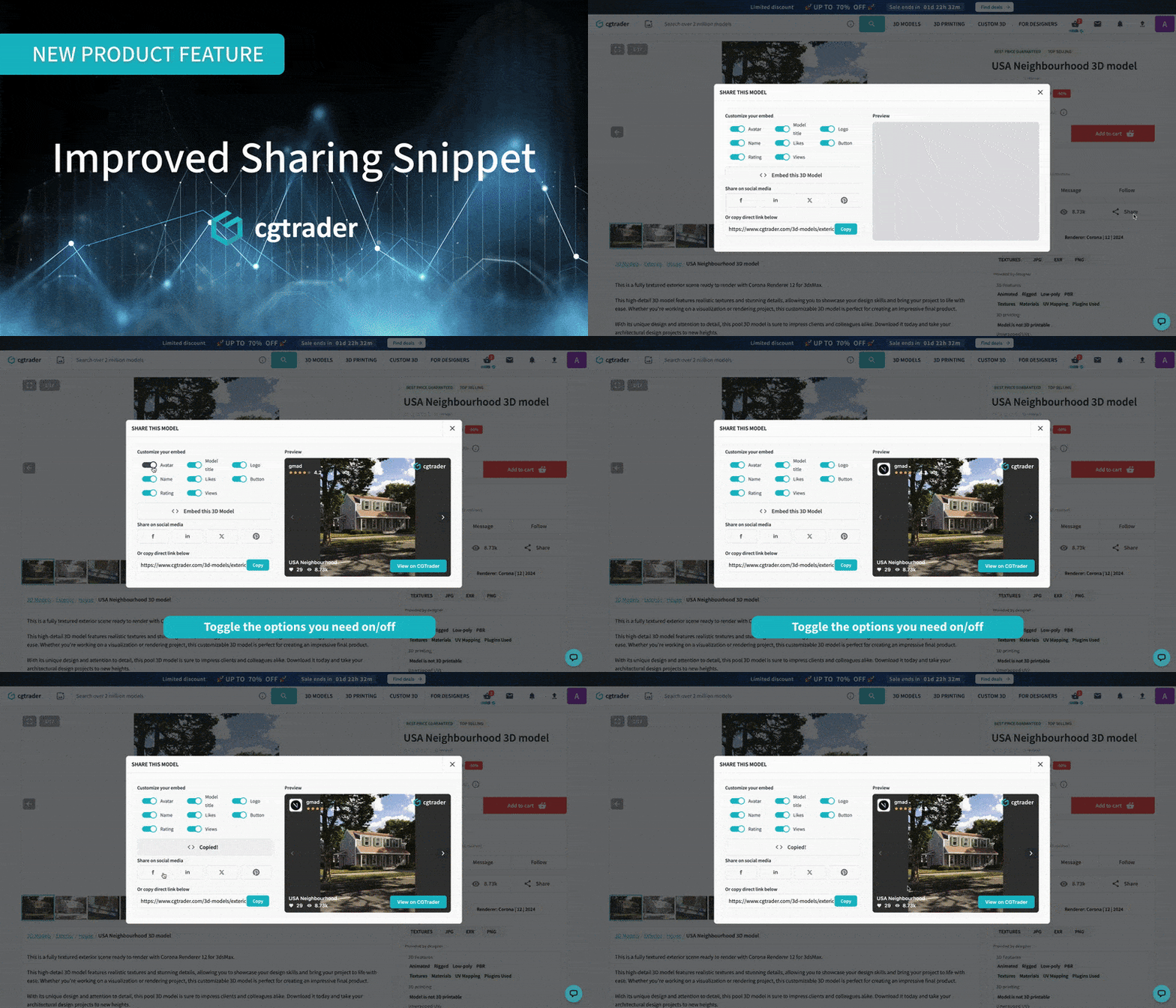
This update helps you:
There’s more.
If your model has the Marmoset viewer enabled, it’s now used as the default experience when sharing. This creates an interactive preview similar to what many designers are used to.
For sellers looking for an alternative—or who don’t want to rely on paid third-party viewers—this offers a totally free and practical way to:
We’re also actively working on making the Marmoset setup simpler and more automated for sellers.
Stay tuned for more product updates!



Comments